How to Build a Re-Engagement Email Campaign That Works
Learn how to create a re-engagement email campaign that wins back inactive leads, improves deliverability, and turns past interest into action.
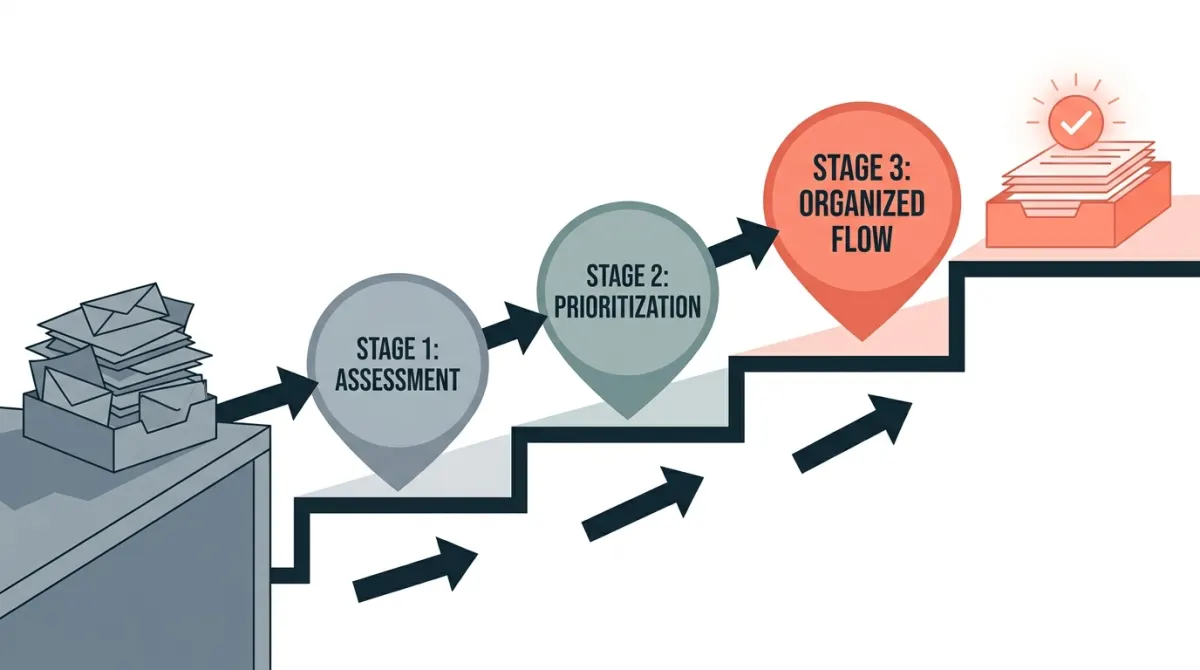
In this guide
A re-engagement email campaign is a targeted sequence sent to subscribers who stopped opening, clicking, or buying, designed to either win them back or safely remove them from your active list. Done well, it protects sender reputation, recovers revenue from people who already know your product, and sharpens the data you use to run the rest of your email program. The steps below cover segmentation, sequence design, example copy, and the deliverability checks you need before and after you send.
What Is a Re-Engagement Email Campaign?
A re-engagement email campaign is a sequence of messages sent specifically to subscribers who have gone quiet: no opens, no clicks, no logins, no purchases over a defined period. The goal is simple to state and harder to execute: give dormant contacts a clear reason to come back, or confirm that they should be removed from your active sending list. For SaaS founders, developers, and info-product creators who manage their own lists, this isn't a nice-to-have. It's maintenance work that directly affects whether your other emails land in the inbox or the spam folder.
Re-engagement campaigns usually take one of two forms. An always-on automation watches each subscriber's activity and fires a win-back sequence automatically once someone crosses your inactivity threshold, catching people continuously rather than in batches. A one-time sweep targets everyone who went dormant over a given quarter or year, often as part of a broader list cleanup. Most mature email programs eventually run both: the automation handles the steady drip of newly inactive users, while the periodic sweep clears out backlog and resets the baseline.
The distinction matters because the two approaches solve different problems. An automated flow keeps your list healthy as a continuous process. A one-time campaign is a correction, usually triggered when someone finally looks at engagement metrics and realizes a large share of the list hasn't opened anything in months. Both are necessary; neither replaces the other.
How to Identify and Segment Inactive Subscribers
Before writing a single subject line, you need a precise definition of "inactive." Vague thresholds produce vague campaigns. Pull engagement data from your sending platform and your product (if you have one) and build segments based on actual behavior rather than guesswork.
Signals that indicate a subscriber has gone cold
- No opens or clicks over a defined window (commonly 60 to 180 days, depending on your sending frequency).
- No product logins or app activity, if you're a SaaS and can join email data with product usage.
- No purchases or renewals for subscribers tied to a transactional history.
- Declining open trend: someone who used to open every email but has stopped in the last few sends is a different risk profile than someone who never engaged at all.
Segmenting by inactivity tier
Not every dormant subscriber deserves the same message. A customer who bought once and drifted needs a different nudge than someone who signed up and never opened a single email. Segmenting by tier lets you match the message, and the risk you're willing to take, to the subscriber's history.
| Segment | Typical behavior | Risk level | Recommended approach |
|---|---|---|---|
| Recently cooling | Opened regularly, stopped in last 30 to 60 days | Low | Light-touch reminder, no discount needed |
| Dormant customers | Purchased at least once, no activity in 90+ days | Medium | Value-driven win-back, highlight unused features or benefits |
| Never engaged | Subscribed but never opened a single email | High | One confirmation attempt, then suppress or remove |
| Long-term dormant | No activity for 6+ months | High | Final win-back attempt, then sunset from active sending |
This kind of segmentation is also where email automation earns its keep: once the inactivity rules are defined, the platform can tag and route subscribers into the right sequence without manual list exports every month.
How to Build the Campaign Step by Step
Once segments are defined, the campaign itself follows a predictable structure. The exact timing and tone will vary by audience, but the sequence logic stays consistent across most re-engagement email campaign setups.
Step 1: Set your inactivity threshold
Decide, in days, when a subscriber enters the re-engagement flow. Base it on your normal sending cadence: if you send weekly, 60 days of silence is a reasonable trigger; if you send monthly, extend the window so you're not flagging normal gaps as disengagement.
Step 2: Build a short sequence, not a single email
A single win-back email rarely does the job. A short sequence of two to four emails, spaced several days apart, gives subscribers multiple chances to respond without overwhelming them. A typical structure:
- Email 1, the reminder: acknowledge the gap, show what they're missing, no pressure.
- Email 2, the value nudge: highlight a specific feature, use case, or piece of content relevant to why they signed up.
- Email 3, the direct ask: ask explicitly whether they want to keep receiving emails, with a clear way to confirm or opt out.
- Email 4, the last chance: state plainly that this is the final message before removal from active sending.
Step 3: Automate the trigger and the exit
This is where workflow logic matters more than copy. The sequence needs to start automatically when a subscriber crosses the inactivity threshold, and it needs to stop immediately if the subscriber takes any action (opens, clicks, logs in, or replies). Building this as a proper automated workflow, rather than a manual send, is what makes a re-engagement email campaign sustainable over time instead of a one-off project you redo every few months. If you're sending through a platform with workflow and tagging support, a SMTP or API-based send combined with tag-based triggers lets you route subscribers out of the sequence the moment they re-engage, so you're not stacking irrelevant emails on someone who already came back.
Step 4: Decide the fate of non-responders
Define the end state before you launch. Subscribers who complete the full sequence without responding should be moved to a suppressed or reduced-frequency segment, not left in the active sending pool. This decision is what actually protects your sender reputation; the campaign itself is only half the work.
For teams building and sending their own product emails, an email platform for SaaS that supports tagging, workflows, and API access makes it realistic to tie these triggers directly to product usage data rather than email engagement alone, which tends to produce more accurate inactivity segments.
Re-Engagement Email Examples and Best Practices
Copy and timing matter as much as the underlying logic. A technically correct sequence with weak messaging will still underperform.
Subject line patterns that tend to work
- Direct acknowledgment: "Still interested in [topic]?"
- Specific and curiosity-driven: "We noticed you haven't opened our emails lately"
- Low-pressure opt-in: "Want to keep hearing from us?"
- Clear deadline framing: "Last email before we say goodbye"
Avoid vague, generic subject lines like "We miss you" without context. Inactive subscribers already filtered you out once; a message that doesn't give them a concrete reason to open rarely breaks through.
Best practices for the message body
- Lead with specifics, not guilt. Reference what they signed up for or last purchased rather than a generic "it's been a while."
- Make the next action obvious: a single button or link, not multiple competing calls to action.
- Give an honest opt-out path: a visible unsubscribe or "reduce frequency" link increases trust and reduces spam complaints.
- Keep it short: re-engagement emails are not the place for long product tours. One idea, one ask.
- Use previously purchased or carted items when relevant: for commerce-adjacent lists, referencing a product someone previously viewed or bought is more effective than a generic newsletter-style message, since it reconnects the email to something the subscriber already showed interest in.
Timing and frequency
Space sequence emails three to seven days apart. Sending the full sequence in two days reads as pressure; spreading it over three weeks loses momentum. Test both ends of that range against your own list rather than assuming a single universal cadence.
A re-engagement sequence that ends with a clear, respected opt-out is doing its job even when most recipients don't click "yes." The goal isn't just reactivation, it's an accurate, consenting list.
Measure Results, Protect Deliverability, and Clean Your List
The success of a re-engagement email campaign isn't measured only by how many people click "I'm still interested." It's measured by what happens to your list health and sending reputation afterward.
Metrics to track
| Metric | What it tells you |
|---|---|
| Reactivation rate | Share of targeted subscribers who opened, clicked, or confirmed interest |
| Unsubscribe and complaint rate during the campaign | Whether the sequence felt intrusive or unwanted to a meaningful share of recipients |
| Sender reputation after sunset | Inbox placement and bounce rate on subsequent sends to the cleaned list |
| List size change | How many contacts were suppressed or removed, and the resulting cost impact |
Protect deliverability before you send
Sending a dedicated campaign to a large block of inactive addresses carries real risk: higher bounce rates, spam trap hits, and lower open rates can all drag down sender reputation for your entire domain, not just this one send. Before launching, check your authentication records, warm up gradually if you're sending to a large dormant segment at once, and review your email deliverability posture so you know your starting baseline and can spot a drop quickly if one occurs.
Clean the list after the sequence ends
Once the sequence completes, act on the result instead of leaving non-responders in the active pool indefinitely. Typical post-campaign actions:
- Suppress subscribers who didn't respond to any email in the sequence, removing them from regular campaign sends.
- Downgrade frequency for subscribers who opened but didn't click, rather than removing them outright.
- Reconfirm genuinely engaged subscribers back into your main sending list with no further action needed.
- Document the threshold you used so the next cycle (automated or manual) applies the same rule consistently.
Running this cycle regularly, rather than as a one-time emergency fix, is what keeps a list healthy over years rather than months. A re-engagement email campaign is ultimately a maintenance habit: define inactivity clearly, give dormant subscribers a fair and specific chance to come back, then act decisively on the result so the rest of your list keeps reaching the inbox.
Frequently asked questions
How long should a subscriber be inactive before re-engagement?
Use a period that matches your normal sending frequency, buying cycle, and engagement pattern rather than one universal cutoff. A daily newsletter may flag inactivity sooner than a quarterly product update. Review when open, click, site, and purchase activity usually declines, then create segments for different levels of inactivity. Test earlier and later entry points, while excluding recent purchasers, active site visitors, and subscribers who have already responded through another channel.
How many emails should a win-back sequence include?
A short sequence is usually easier to manage and less likely to fatigue inactive subscribers than a long series. Give each message a distinct purpose, such as reminding the subscriber why they joined, presenting a clear reason to return, and asking whether they still want updates. Set a stopping rule for people who engage, unsubscribe, or remain inactive. The right number depends on your audience, sending frequency, and compliance requirements, so compare sequence variants with controlled tests.
What should a re-engagement email say?
Lead with a clear reason to pay attention and make the next action easy to understand. A strong message can acknowledge the subscriber's inactivity, remind them of the value of your emails, highlight relevant content or products, and offer a simple way to confirm continued interest. Keep the copy specific to the segment, use a recognizable sender and subject line, and include an obvious unsubscribe option. Avoid misleading urgency or assuming the subscriber remembers every previous interaction.
When should you target leads, customers, and abandoned buyers separately?
Separate these audiences when their previous intent, relationship, and likely objections differ. Leads may need useful education or a reminder of the problem your product addresses. Existing customers may respond better to product guidance, relevant updates, or support resources. Abandoned buyers may need a concise reminder of what they viewed or selected, provided the message follows applicable privacy and consent rules. Segmenting by lifecycle stage helps keep the message relevant and prevents one generic win-back email from reaching everyone.
Why can inactive subscribers hurt email performance?
Inactive subscribers can reduce the proportion of recipients who open, click, or otherwise interact with your messages. A consistently low engagement pattern may make it harder for mailbox providers to distinguish wanted mail from unwanted mail, especially when list quality and complaint signals are also weak. Removing or suppressing persistently inactive contacts after a reasonable re-engagement process can improve audience quality. Monitor engagement, bounces, complaints, and inbox placement rather than relying on opens alone.
What should happen after a subscriber ignores the re-engagement sequence?
Move persistently unresponsive subscribers into a suppression or sunset process instead of continuing to mail them indefinitely. Define the action in advance, such as pausing promotional sends while retaining a limited operational relationship where appropriate. Record the reason and date for the change, respect unsubscribe requests immediately, and preserve evidence of consent and communication preferences. You can periodically review the segment for new activity, but do not treat silence as permission to increase sending frequency.